Whether a parcel changes hands is often settled in the hours before the van arrives.
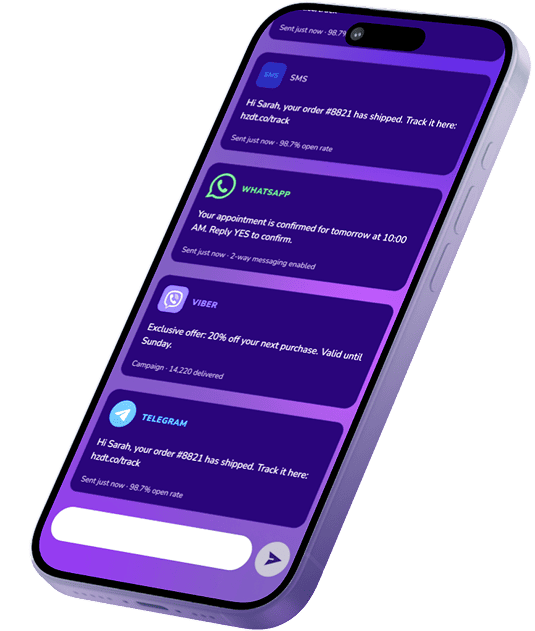
Horizon Dit supports logistics messaging for couriers, parcel carriers, last-mile and 3PL operators, and retailers that run their own delivery fleet in the UAE and GCC. Scan, dispatch and customs events from your operation become messages for three audiences: consignees preparing to receive a parcel, shippers waiting for news of their shipments, and couriers working a route. When a consignee replies with a new day or directions to the building, the answer can be returned to your dispatch system via the API integration. Messages travel by SMS, WhatsApp, Email and Push, and SMS and Email support both Arabic and English.
Where Delivery Attempts Go Wrong Before They Start
The person at the door never chose you
The consignee bought from a shop, not from the carrier, and may not recognise your sender name at all. Meanwhile the shipper, the business actually paying for the delivery, is waiting somewhere else for news of the same parcel.
An address is often a description
Across parts of the UAE, a location is given as a landmark, a building name and a set of directions rather than a street number. In some GCC markets, a missing address detail can stop the parcel before the attempt begins; elsewhere, it tends to surface as a courier who cannot find the door.
A missed attempt is paid for twice
Another run, another slot on the route, a parcel held at a facility or sent back. With cash on delivery, an attempt can also fail because the cash is not ready or the parcel is refused, and the time to settle that is before the courier reaches the stop.
Scams wear a courier's name
Fake delivery and customs-fee messages circulate across the region, so consignees have learned to treat parcel messages with suspicion, payment requests most of all. A genuine message needs a sender people recognise, and any payment it mentions belongs in your own app or on your own website.
A delivery operation already records every scan, route change and attempt outcome. What makes it difficult is that the people who need to hear about those events sit in three different roles, each of whom needs a different message about the same parcel.
Horizon Dit sends the consignee what it takes to receive the parcel, the shipper what has happened to it, and the courier what has changed on the route. The order side of the same delivery, as a retailer tells it to its shoppers, is covered under Ecommerce & Retail.
Where a high-value parcel must go to one named person, confirming the recipient at handover is a Customer Verification scenario.
[Shipment Events]
Shipment Events and the People They Concern
The events below are already logged by your transport, warehouse, scanning or customs systems. The label under each card shows who the message is written for: the consignee, the shipper or the courier.
Pickup and Collection
Shippers learn when a pickup is booked, when the courier is on the way to collect, and whether the collection happened or was missed. Reverse pickups follow the same pattern, telling a consignee when a parcel returning to the shipper will be collected from them.
Examples: Pickup booked · Courier on the way · Collected · Pickup missed · Reverse pickup scheduled
ADDRESSED TO: the shipper, and the consignee for reverse pickups
Shipment Milestones and Revised ETA
Scans at each hub or facility become updates on where the parcel sits in the network and when it should arrive. When a line-haul delay moves the expected date, the revised one goes out with the reason, where the reason is known.
Examples: Picked up · Arrived at hub · In transit · ETA revised · Delivered, with a proof-of-delivery reference
ADDRESSED TO: the consignee and the shipper
Delivery-Day Coordination
Out for delivery is where the attempt begins: the consignee hears the time window, the amount to have ready if the parcel is cash on delivery, and the options if nobody will be in. Directions, another day or a request to leave the parcel with building security can come back as a reply and reach dispatch before the courier gets to the stop.
Examples: Out for delivery · Delivery window · COD amount due · Reschedule · Leave with security
ADDRESSED TO: the consignee
Address and Contact Resolution
When the courier cannot find the location, the flat number is missing or the consignee does not pick up the courier's call, the message asks for the one missing detail and how to supply it. For parcels into Saudi Arabia, a valid National Address is needed before the carrier can accept or move the shipment, so a missing one becomes a request to the consignee or the shipper.
Examples: Location not found · Flat number missing · Courier could not reach you · National Address needed
ADDRESSED TO: the consignee, or the shipper when the address came with the booking
Failed Attempts, Redelivery and Holds
After an unsuccessful attempt, the consignee is told what stopped it and what comes next: another try on a set day, collection from a facility or pickup point, or return to the shipper if nothing changes by a given date. A clear deadline gives the consignee a reason to act while the parcel is still within reach.
Examples: Attempt unsuccessful · Next attempt scheduled · Held for collection · Return-to-sender date
ADDRESSED TO: the consignee
Customs and Duty Notices
Imported parcels can need duty or tax paid, or documents supplied, before they are released. The notice explains what is outstanding and sends the consignee to your official app or website to settle it, the same place every time, while clearance and the duty calculation stay with your customs team or broker.
Examples: Duty or tax due · Documents required · Held at customs · Cleared and released
ADDRESSED TO: the consignee, and the shipper or broker for documents
Exception Reports and Proof of Delivery
Delays, damage, refused parcels, unresolved addresses and returns to origin are reported to the shipper as they are recorded, with the shipment reference their operations team needs to follow up. Once a parcel is handed over, a proof-of-delivery notice closes the shipment on the shipper's side.
Examples: Delayed · Damaged in transit · Refused at the door · Return to origin started · Proof of delivery available
ADDRESSED TO: the shipper
Dispatch Updates for Couriers
Drivers on a route receive the changes that affect their stops: a stop added or removed, a consignee who moved the delivery to another day, directions sent in a reply, an instruction from the depot. The messages come from your own dispatch system and sit alongside whatever driver app the fleet already uses.
Different Channels for the Doorstep, the Desk and the Depot
Each recipient is reached in a different way: the consignee through the contact details on the shipment, the shipper through an established account relationship, and the courier through the fleet's own systems. SMS and Email messages can be sent in Arabic or English.
SMS
A direct route to the consignee using the phone number provided with the shipment, with short replies to confirm someone will be in or to ask for another day.
WhatsApp
The delivery-day conversation for directions, rescheduling and questions that need resolving before the attempt, kept in one conversation with the consignee.
Email
The shipper's channel: exception reports, proof-of-delivery records, customs document requests and return-to-sender notices that an operations team files and follows up.
Push Notifications
For consignees who use your own app, and for couriers on a driver app when a stop or a route changes.
RCS, Viber and Telegram can also be used where your consignees and markets call for them.
[Solutions]
Delivery Day Needs More Than a Single Send
Delivery day is where all three tend to come into play: keeping the consignee's messages consistent, getting a time-sensitive notice out on time, and making sure a valuable parcel reaches the right hands.
Omnichannel Messaging
A consignee who rescheduled or added directions on one channel is not sent the old window on another, so the delivery-day messages read as one sequence wherever they arrive.
A delivery-day notice loses its value once the courier arrives, so routing can give time-sensitive traffic the appropriate priority and use configured failover where needed.
Some shipments must reach one particular person, such as high-value or ID-required parcels. The delivery process can include a handover confirmation step, with the method set by your own process.
At every stage below, the tag shows who has the parcel. Custody determines who can fix a problem when one appears, which is why the shipper and the consignee hear different things about the same shipment. The Clearance stage applies only to cross-border imports.
Booking & Pickup
The shipment is booked, a label or waybill is issued and a courier is scheduled to collect. The shipper hears when the pickup is set and when it has happened.
Parcel with: the shipper
In the Network
Hub scans, line-haul and sorting. Updates follow the parcel between facilities, and a new arrival date is shared when delays push it back.
Parcel with: the carrier
Clearance
Imported parcels wait for duty, tax or documents. The consignee learns what is outstanding; the shipper or the customs broker hears when papers are missing.
Parcel with: customs
Last Mile
The parcel is loaded for delivery. The consignee receives the window, the COD amount where it applies and the chance to give directions or choose another day.
Parcel with: the courier
Attempt & Redelivery
The attempt succeeds, or the consignee learns why it did not and when the next try or collection will be. Dispatch and the driver see any change the consignee asked for.
Parcel with: the courier or a pickup point
Handover or Return
The parcel is delivered and the shipper receives proof of delivery, or it goes back to the shipper with the reason recorded.
Parcel with: the consignee, or the shipper again
[Operational Gains]
The Difference Shows Up on the Route and at the Account Desk
Messaging does not carry the parcel. It changes how much the courier, the consignee and the shipper know before each step, and that shows in the daily work of dispatch, customer service and account teams.
The Attempt Starts With Better Information Presence, directions, COD readiness and rescheduling are settled earlier, so the courier arrives at the stop knowing more about what to expect.
Address Gaps Closed at the Depot A missing flat number or location detail can be requested before the van is loaded, rather than discovered by a driver standing outside the wrong building.
Exceptions Reported Back to the Shipper The shipper's team learns about a delay or a refused parcel from the carrier, instead of relying on its own customer to report it, and can plan its reply with the facts in hand.
Drivers Working From the Current Plan A consignee's reschedule or added directions can be passed to the driver through dispatch, so the route can reflect the change before the courier reaches that stop.
Records to Check When a Claim Comes In When a shipper questions a delivery, account teams can check what the consignee and the shipper were told, and when, before they respond.
[Behind the Messages]
The Platform Under the Delivery Operation
Four parts of the platform carry the work described above, from taking in your events to recording what went out.
Event Sources
Transport and warehouse management systems, scanning and dispatch tools, driver apps and customs brokerage systems can be connected through the API and webhooks. A scan or status change can trigger a message, and each send's delivery status goes back to the system where the event started.
When a consignee answers on WhatsApp or by SMS, the reply can travel back through the integration to dispatch, which keeps the final say over what changes on the route.
Role-based access keeps the team that messages consignees apart from the one reporting to shippers. Delivery records and the message history show what each party received, and at what time.
Horizon Dit is designed for the high-volume weeks that follow retailers' sale seasons, and for consignees across GCC markets, subject to channel availability and sender rules in each market.
Yes. When those systems are linked through the API and webhooks, a hub scan, a change in dispatch or the outcome of an attempt can each produce a message, and you receive a delivery status on each send. The way each system is linked varies with your setup, and the technical side sits under Developers.
Ecommerce & Retail covers a retailer telling its own shoppers about their order. Here the subject is the carrier's view of that delivery: preparing the consignee for the attempt, reporting exceptions to the shipper and keeping couriers up to date. A retailer that runs its own fleet will usually need both.
Food, grocery and courier services built on immediate fulfilment, with a courier assigned on request and followed live on a map, are the subject of On-Demand Services. Logistics here means planned routes, scans, delivery windows and attempts.
Yes. In a reply on SMS or WhatsApp, the consignee can choose another day, ask for the parcel to be left with building security or describe how to find the entrance, and the answer is returned to dispatch over the same connection. Which options to offer, and what dispatch does with each answer, stays with your operation.
Yes. Dispatch systems can send drivers route changes, added or cancelled stops and consignee requests by SMS or Push. Horizon Dit carries those messages; it is not a fleet management, route planning or tracking tool, and those functions stay in the systems you already run.
Predictable messages help most: a sender name consignees can recognise, wording that stays the same from one shipment to the next, and any payment or upload sent to the app or website they already use, never an unfamiliar page. Horizon Dit cannot stop third parties from imitating a courier's brand; keeping your own messages consistent across channels helps an imitation stand out.
Yes, subject to the channels available in each destination and the sender rules that apply there. A shipment delivered in Kuwait or Oman may need a different sender setup from one delivered in Dubai.
[Ready to Start?]
Bring Us a Week of Scans and Failed Attempts
Show us the events your operation records, from pickup to proof of delivery, and the attempts that did not go to plan. We will map which events should reach the consignee, which belong in a shipper report and which the driver needs to see.
Enter your email address to receive a new password.
Please check your email inbox
Contact Sales
Get expert guidance on channels, setup, and messaging strategy.
This website uses cookies
We use necessary cookies to make our website and web-based interface work. To get more information about these cookies, how and why we use them and how you can change your settings, check our Cookie Preferences.